
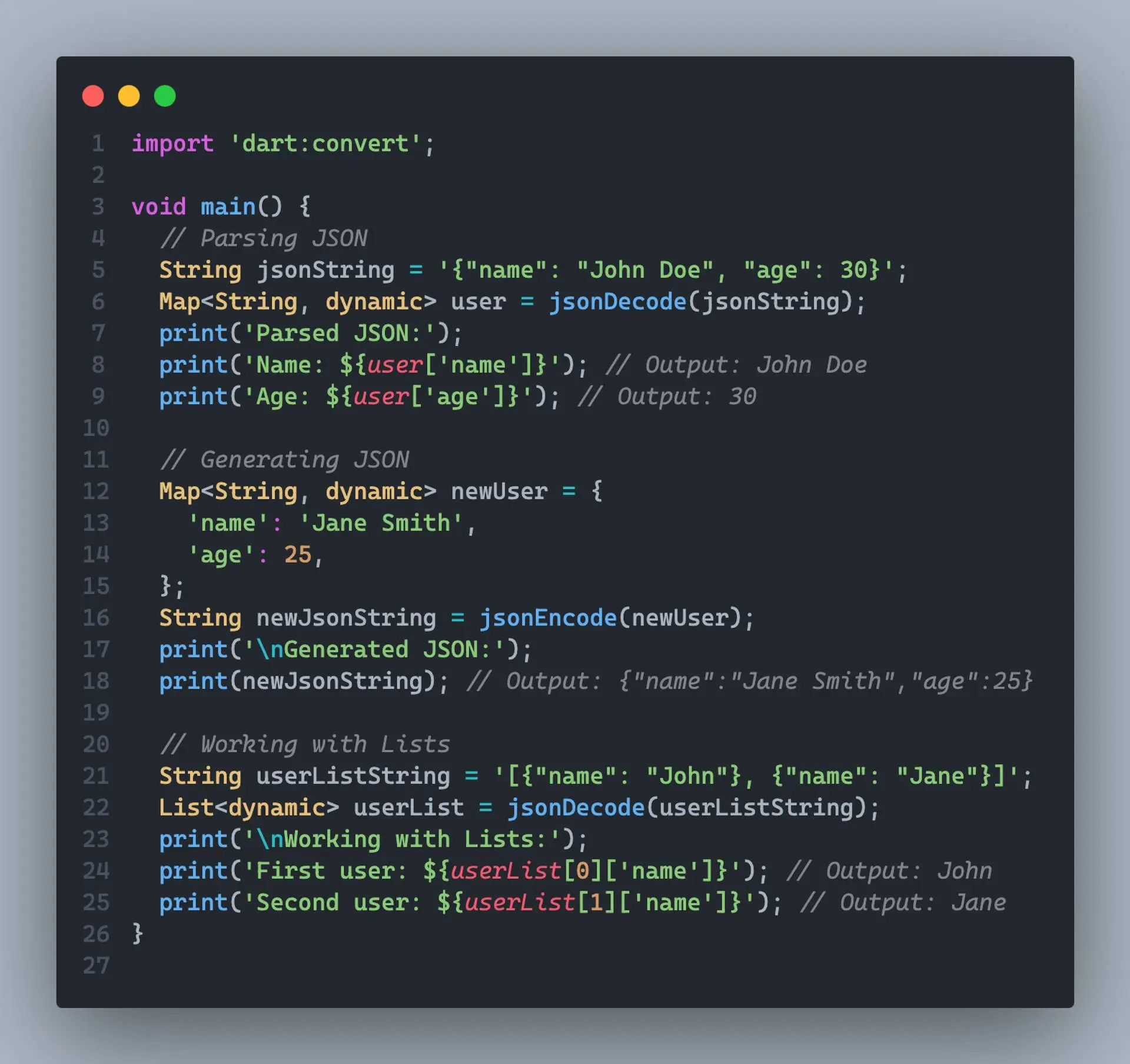
JSON (JavaScript Object Notation) is a lightweight data-interchange format that is easy for humans to read and write, and easy for machines to parse and generate. It's widely used for transmitting data between a server and web applications or mobile apps.
In Dart, working with JSON is straightforward thanks to the built-in dart:convert library. Here's how you can get started:
Parsing JSON
To parse a JSON string into a Dart object, you can use the jsonDecode function from the dart:convert library
import 'dart:convert';

void main() {
  String jsonString = '{"name": "John Doe", "age": 30}';
  Map<String, dynamic> user = jsonDecode(jsonString);
  print(user['name']); // Output: John Doe
  print(user['age']); // Output: 30
}
Generating JSON
To convert a Dart object into a JSON string, you can use the jsonEncode function:
import 'dart:convert';

void main() {
  Map<String, dynamic> user = {
    'name': 'John Doe',
    'age': 30,
  };
  String jsonString = jsonEncode(user);
  print(jsonString); // Output: {"name":"John Doe","age":30}
}
jsonEncode
The jsonEncode function is used to convert a Dart object (such as a Map or List) into a JSON string representation. It takes the object as an argument and returns the corresponding JSON string.
import 'dart:convert';

void main() {
  Map<String, dynamic> user = {
    'name': 'John Doe',
    'age': 30,
  };
  String jsonString = jsonEncode(user);
  print(jsonString); // Output: {"name":"John Doe","age":30}
}
In the example above, jsonEncode takes the user Map and converts it into a JSON string representation.
jsonDecode
The jsonDecode function does the opposite of jsonEncode. It takes a JSON string as input and converts it into a Dart object (usually a Map or List).
import 'dart:convert';

void main() {
  String jsonString = '{"name": "John Doe", "age": 30}';
  Map<String, dynamic> user = jsonDecode(jsonString);
  print(user['name']); // Output: John Doe
  print(user['age']); // Output: 30
}
In the example above, jsonDecode takes the JSON string and converts it into a Map object, which can then be accessed like a regular Dart Map.
It's important to note that jsonDecode returns a dynamic type, so you might need to perform type casting or use type annotations to work with the decoded object safely.
These two functions are crucial when working with JSON data in Dart, as they allow you to convert between Dart objects and JSON strings seamlessly. This is particularly useful when communicating with APIs or storing and retrieving data in a JSON format.
Working with Lists
JSON can also represent lists or arrays. In Dart, these are converted to List objects:
import 'dart:convert';

void main() {
  String jsonString = '[{"name": "John"}, {"name": "Jane"}]';
  List<dynamic> users = jsonDecode(jsonString);
  print(users[0]['name']); // Output: John
  print(users[1]['name']); // Output: Jane
}
That's the basics of working with JSON in Dart! As you gain more experience, you can explore advanced topics like serializing custom classes, handling nested data structures, and more.
Mastering JSON manipulation in Dart enables seamless conversion between Dart objects and JSON strings, proving invaluable for API communication and data storage. As expertise grows, delve into advanced topics like serializing custom classes and handling nested data structures.