

Latest Version: 0.0.2
Release on 2024-09-17
Stay up-to-date with the latest features and improvements by downloading the newest version of UCAM Protector.
- Download Latest Version
- Explore all available versions on the GitHub Releases page.
UCAM Protector is a privacy-focused Google Chrome extension designed specifically for the UCAM platform (ucam.uiu.ac.bd). This extension allows users to blur sensitive information when in public and provides a customizable dark mode option for better readability. Whether you're browsing in a public place or simply want to enhance your user experience, UCAM Protector ensures privacy and comfort.
Features
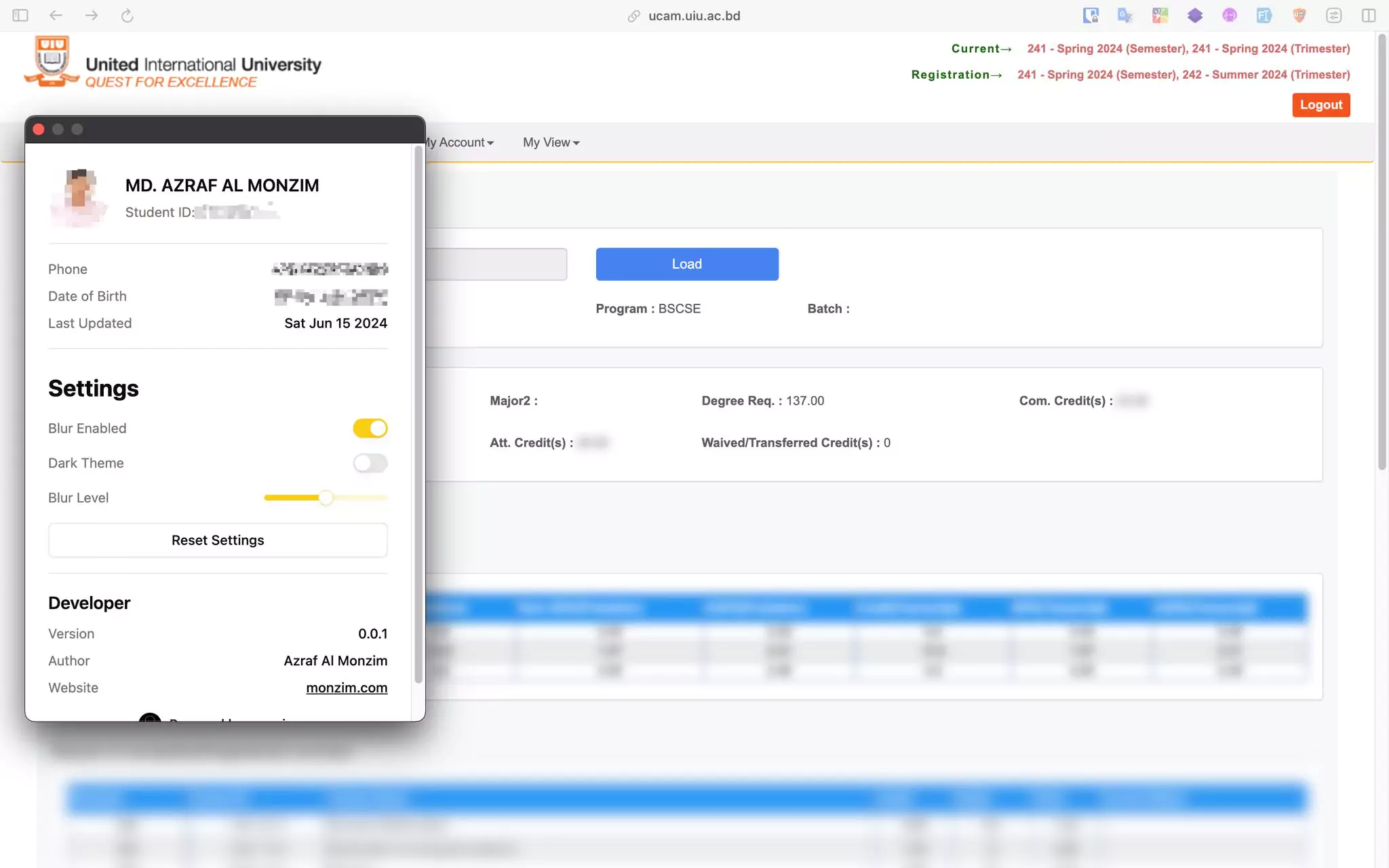
- Blur Sensitive Information: Hide sensitive personal details such as name, student ID, and more while browsing UCAM.
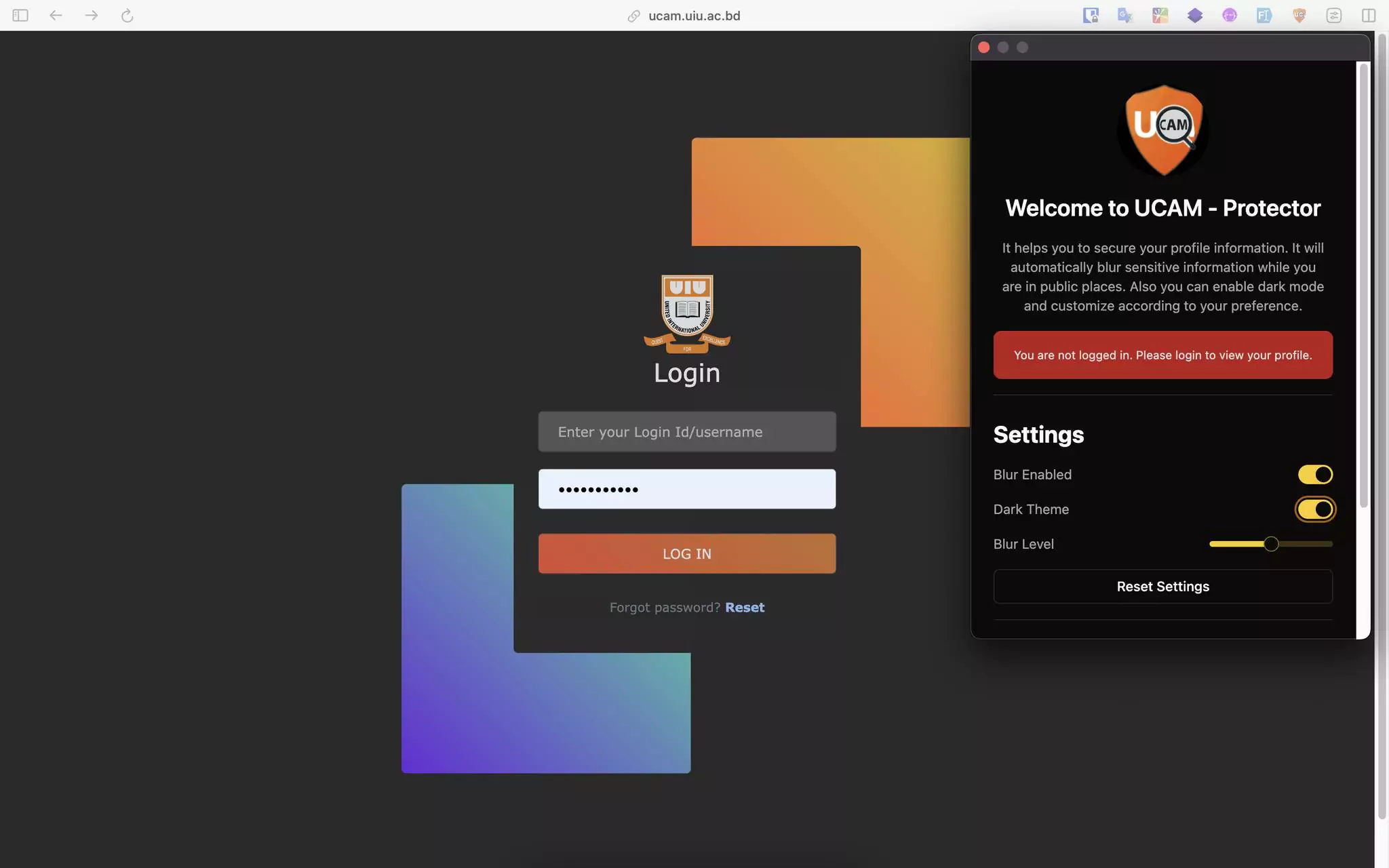
- Enable Dark Mode: Enjoy UCAM in a darker theme to reduce eye strain, especially in low-light environments.
- Customizable Blur Intensity: Adjust the blur level according to your preference, giving you full control over the information you want to hide.
Screenshots
Installation
To install the UCAM Protector Chrome Extension, follow these simple steps:
-
Clone the repository or Download Latest Version file of the extension. See the GitHub Releases for all available versions.
-
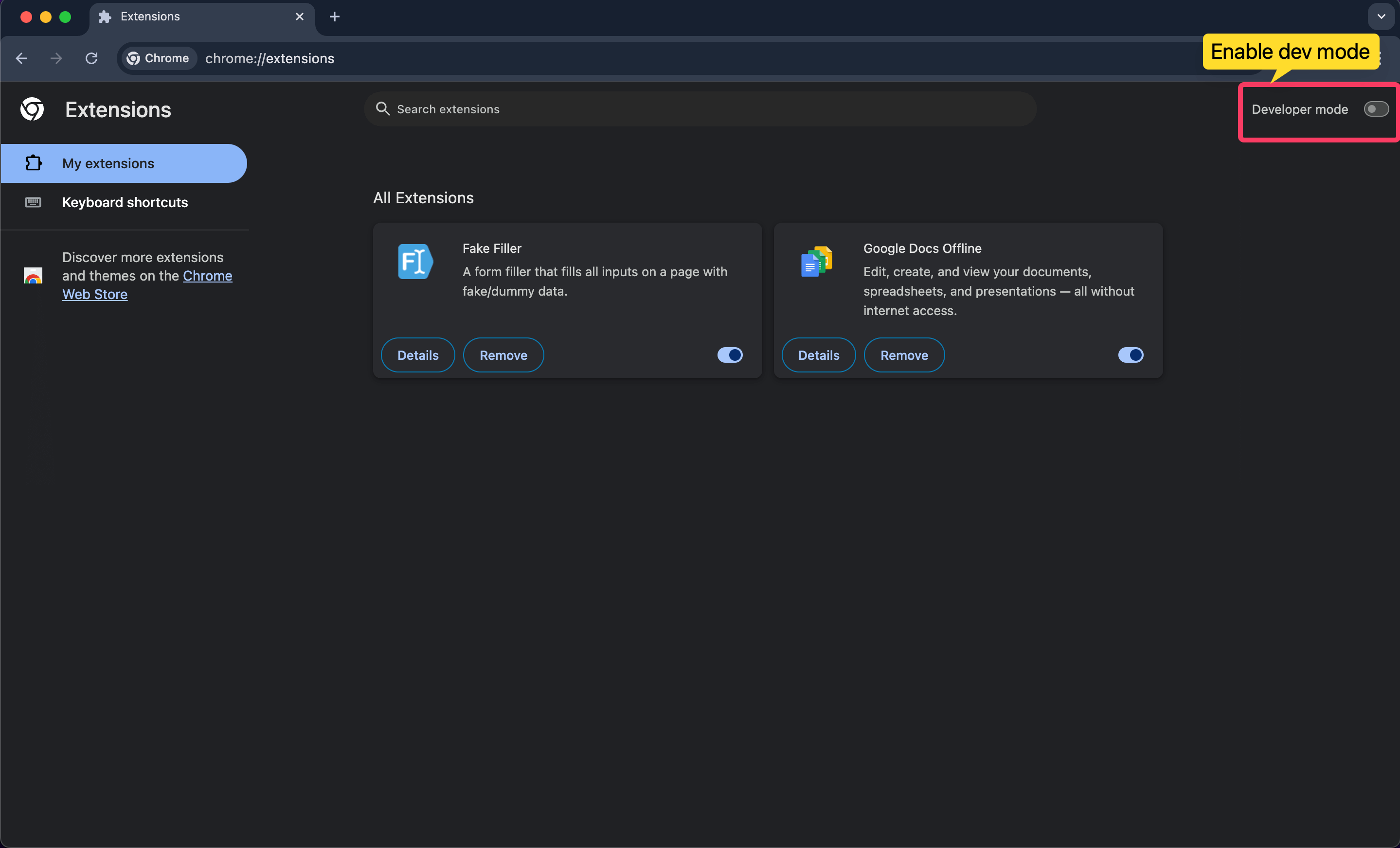
Open the Chrome Extension Management page by navigating to
chrome://extensions/.
-
Enable Developer Mode by toggling the switch next to Developer mode.
-
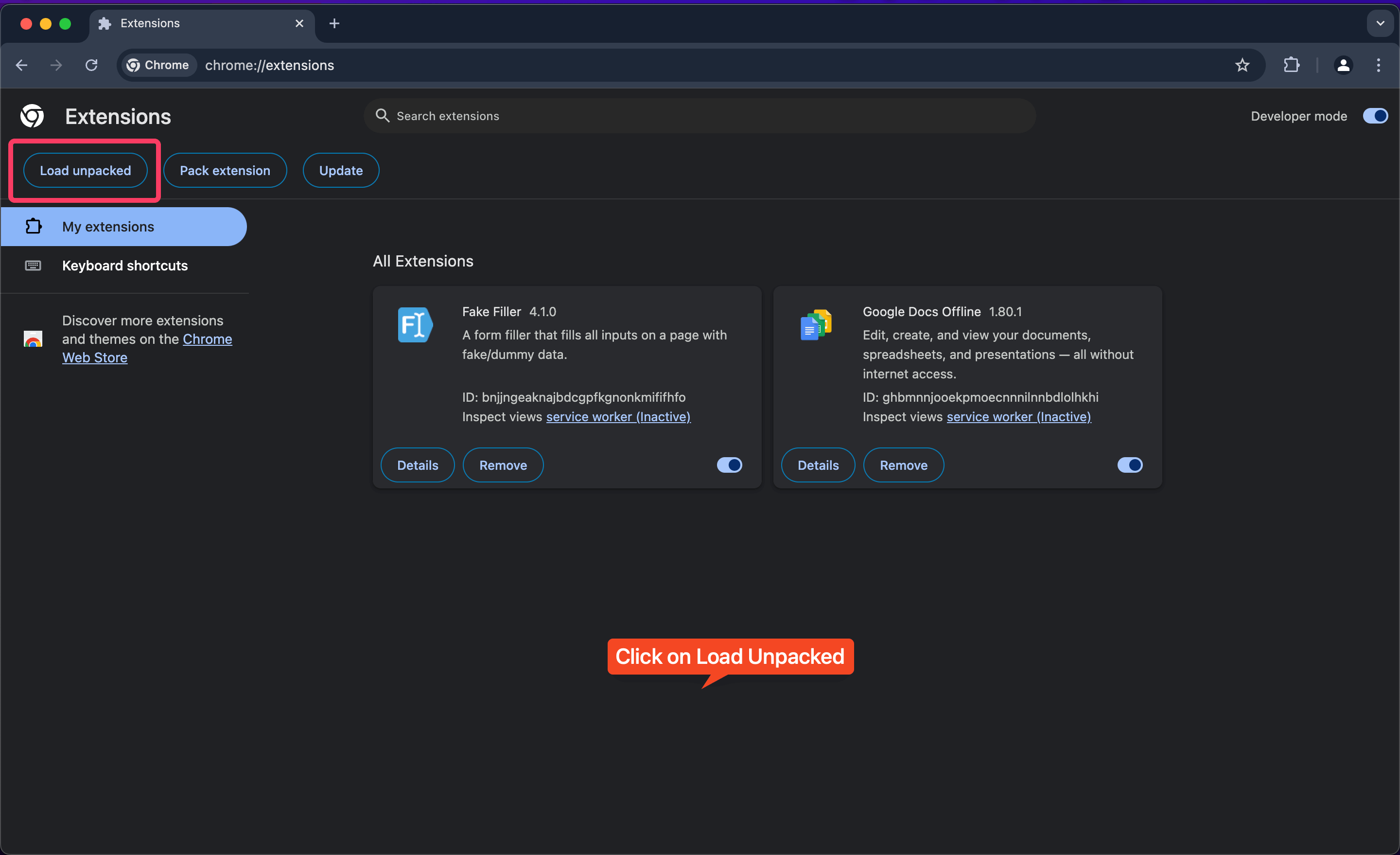
Click on Load Unpacked and select the directory where the extension files are located.
-
Click Select Folder to load the extension. You need to select the folder where the
extensiondirectory is located after extracting the ZIP file. The folder should contain themanifest.jsonfile**.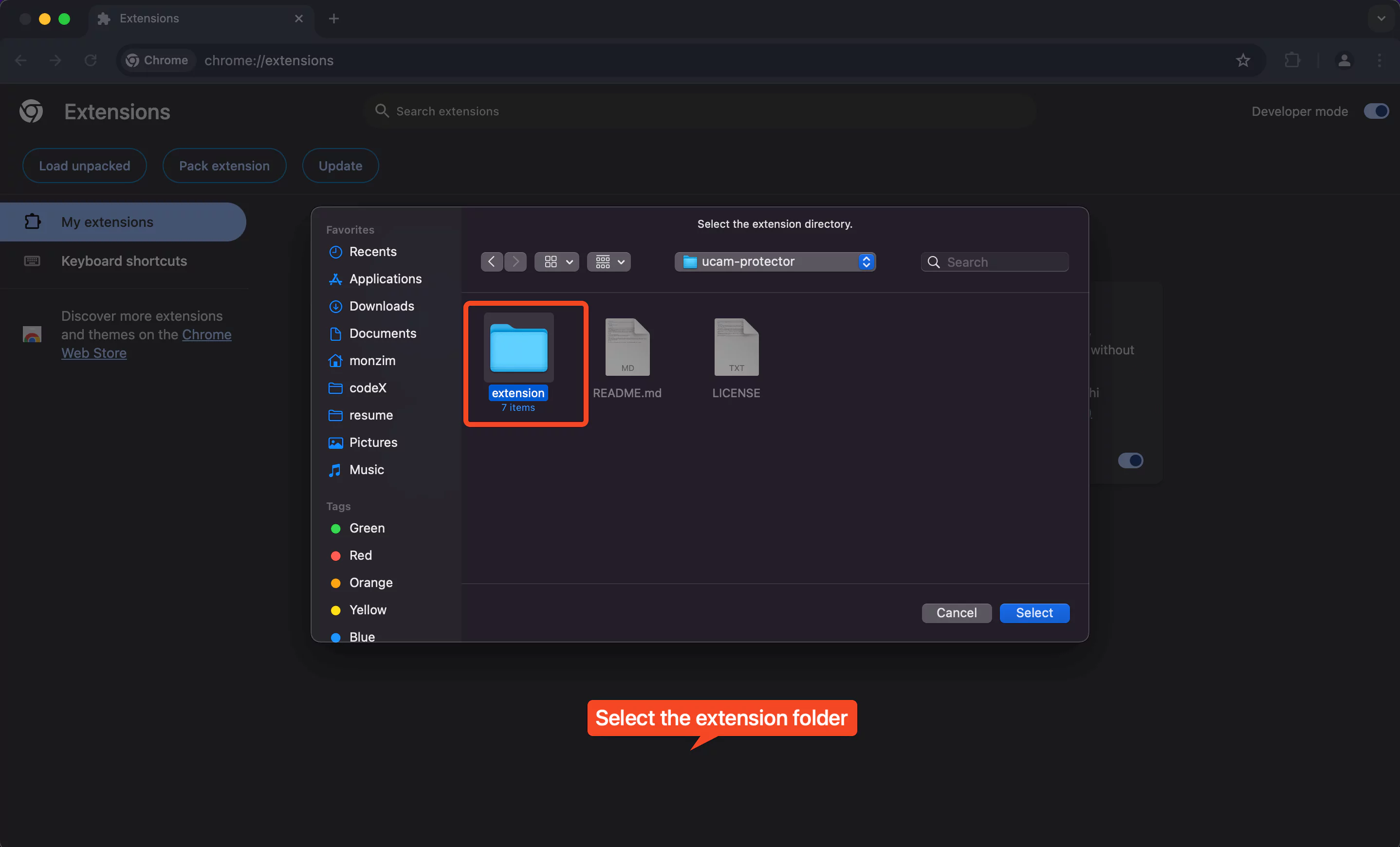
-
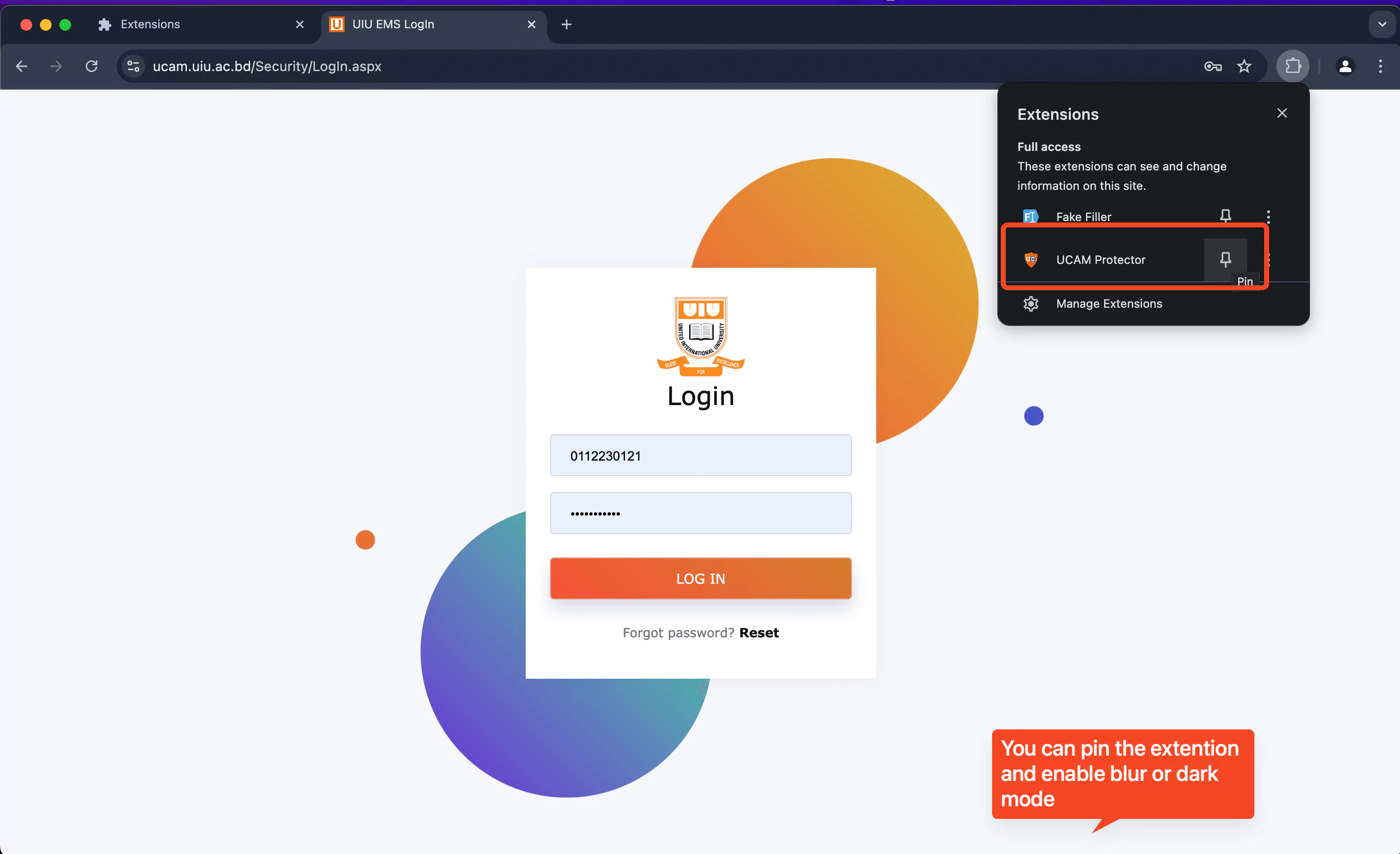
The extension will now be added to your Chrome browser.

-
Open the UCAM platform (ucam.uiu.ac.bd) and click on the UCAM Protector extension icon in your Chrome toolbar to activate the privacy features.
Usage
Using UCAM Protector is straightforward:
- Click on the extension icon in your Chrome toolbar.
- Toggle the "Enable Blur" button to activate privacy protection.
- Use the "Enable Dark Mode" button to switch to the dark theme.
- Adjust blur intensity as needed for optimal privacy and readability.
Data Collection
UCAM Protector prioritizes user privacy. The extension collects minimal data, including your name, phone number, student ID, date of birth, and avatar URL. This information is securely stored on our servers and automatically deleted after 30 days of inactivity. We maintain a strict policy of not sharing this data with any third parties.
Note: This data is stored on our server only for 30 days of inactivity. If you stop using the extension, your data is automatically deleted after this period. We do not share your data with any third parties.
Technology Stack and Motivation
UCAM Protector was built using Typescript, Bun, Vite, HTML, and CSS, leveraging the Chrome Extension API. The project was motivated by a desire to address two common concerns among UCAM users:
-
Privacy in Public Spaces: Many students access UCAM in public areas, risking exposure of sensitive information. The blurring feature provides an added layer of privacy.
-
Eye Strain Reduction: Extended use of UCAM, especially during night hours, can cause eye strain. The dark mode feature aims to alleviate this issue.
As a student and frequent UCAM user, I recognized these pain points and decided to create a solution that would benefit the entire UCAM community. This project not only served as a practical application of my web development skills but also as an opportunity to contribute positively to my fellow students' daily academic lives.
UCAM Protector represents my commitment to creating user-centric solutions that address real-world problems. It showcases my ability to work with browser technologies and APIs, as well as my understanding of user privacy concerns in the digital age.
By developing this extension, I've gained valuable experience in Chrome extension development, user interface design, and implementing privacy-focused features. I'm excited to continue refining and expanding UCAM Protector based on user feedback and evolving needs.
UCAM Protector was built with a simple goal in mind: privacy and ease of use. It provides a seamless browsing experience while ensuring that your sensitive information is kept hidden from prying eyes. Give it a try and protect your UCAM browsing today!